Course catalog
Categories

CSS Shorts Weekly
CSS Tips (219093)
- 1 hour 55 mins
CSS to Sass: Converting an Existing Site

 CSS برای برنامه نویسان
(Mitalearn-416633)
CSS برای برنامه نویسان
(Mitalearn-416633)
- 1 hour 25 mins
- مناسب همه
- Release date: 9 November 2022
- Author: Morten Rand-Hendriksen
کشف کنید که چه چیزی CSS را منحصر به فرد می کند ، چگونه می توانید آن را در مورد مشکلات برنامه نویسی اعمال کنید و چگونه می توانید آن را به راحتی با کار خود ادغام کنید. مربی Morten Rand-Hendriksen در مورد زبانهای اعلانی و ضروری بحث می کند ، سپس به Syntax CSS ، آبشار و موارد دیگر می رود. او مدل CSS Box و همچنین نحوه کار با چارچوب های JavaScript را برای نوشتن CSS به عنوان بخشی از JavaScript پوشش می دهد. مورتن شامل تکنیک های CSS برای مقابله یا حتی مسدود کردن آبشار است. او همچنین روش های استفاده از HTML و CSS را با JavaScript برای ایجاد نشانه گذاری عالی برجسته می کند.
این دوره با CodeSpaces GitHub ، یک محیط توسعه دهنده ابر فوری که تمام عملکردهای IDE مورد علاقه شما را بدون نیاز به تنظیمات دستگاه محلی ارائه می دهد ، یکپارچه شده است. با استفاده از Codepaces GitHub ، می توانید از هر دستگاهی ، در هر زمان استفاده کنید-همه در حالی که از ابزاری استفاده می کنید که احتمالاً در محل کار با آن روبرو خواهید شد. برای یادگیری نحوه شروع کار ، از فیلم "استفاده از Codepaces GitHub با این دوره" دیدن کنید.

CSS برای توسعه دهندگان
(Mitalearn-416616)
- 1 hour 51 mins
- مناسب همه
- Release date: 15 November 2024
- Author: Carrie Dils
آیا شما یک توسعه دهنده جلویی هستید که یاد می گیرید سبک های خوب را برای وب تنظیم کنید و یا یک داربست توسعه دهنده پشتی ، طرح بندی های اساسی را نشان می دهد ، این دوره به توسعه دهندگان نشان می دهد که چگونه CSS کار می کند و چگونه می توان CSS مدرن را برای پروژه های وب استفاده کرد. مربی کری دیلز به توسعه دهندگان در مورد اصول CSS آموزش می دهد ، چگونه می توان از آن برای حل چیدمان وب و چالش های یک ظاهر طراحی شده و راه های ترکیب CSS در پروژه های خود استفاده کرد.
این دوره با CodeSpaces GitHub ، یک محیط توسعه دهنده ابر فوری که تمام عملکردهای IDE مورد علاقه شما را بدون نیاز به تنظیمات محلی محلی ارائه می دهد ، یکپارچه شده است. با استفاده از Codepaces GitHub ، می توانید از هر دستگاهی ، در هر زمان استفاده کنید-همه در حالی که از ابزاری استفاده می کنید که احتمالاً در محل کار با آن روبرو خواهید شد. برای یادگیری نحوه شروع کار ، از فیلم "استفاده از CodeSpaces GitHub با این دوره" دیدن کنید.

CSS عملی برای بدون رمز
(Mitalearn-432239)
- 2 hours
- مناسب همه
- Release date: 9 May 2023
- Author: Jen Kramer
اگر از یک ابزار بدون کد برای ساخت وب سایت خود استفاده می کنید ، ممکن است پیدا کنید که کمی عمومی به نظر می رسد. چگونه می توانید سایت را منحصر به فرد خود بسازید؟ CSS به نجات می آید! CSS (برگه های سبک آبشار) مسئولیت هر چیز زیبایی در وب ، از جمله رنگ ها ، فونت ها ، چیدمان ها و موارد دیگر را بر عهده دارد. فقط کمی از کد CSS می تواند سفارشی سازی های مورد نیاز شما را به شما بدهد و مربی طراحی و توسعه وب ، جن کرامر دقیقاً نحوه انجام این کار را به شما نشان می دهد. جن شما را به Codepen ، ابزاری که برای کار با HTML و CSS در یک مرورگر وب استفاده می شود ، معرفی می کند ، سپس به آنچه CSS انجام می دهد و نحوه ساخت آن می پردازد. او توضیح می دهد که چگونه می توان از انتخاب کنندگان برای استفاده از CSS در صفحه خود استفاده کرد ، سپس به رنگ های CSS ، تصاویر ، جعبه ها ، اندازه ها و تایپ ها شیرجه می زند. به علاوه ، جن مفاهیم و خواص پیشرفته تری را پوشش می دهد ، مانند پیوندهای یک ظاهر طراحی شده ، درک وراثت و اشکال زدایی در ایجاد شما.
CSS: Advanced Layouts with Grid

CSS: Advanced Typographic Techniques

CSS: Animation
CSS: Animation (219348)
- 1 hour 43 mins
CSS: Combining Grid and Flexbox (220317)
- 3 hours 50 mins

CSS: Design Systems and Architectures
CSS: Display
CSS: Enhancing Interfaces with Animation
CSS: Enhancing Website Graphics
CSS: Formatting Visual Data
CSS: Frameworks & Grids

CSS: Images (210610)
- 1 hour 56 mins
CSS: Images (2021)
(Mitalearn-416650)
- 2 hours 4 mins
- مناسب همه
- Update date: 9 November 2022
- Author: Morten Rand-Hendriksen
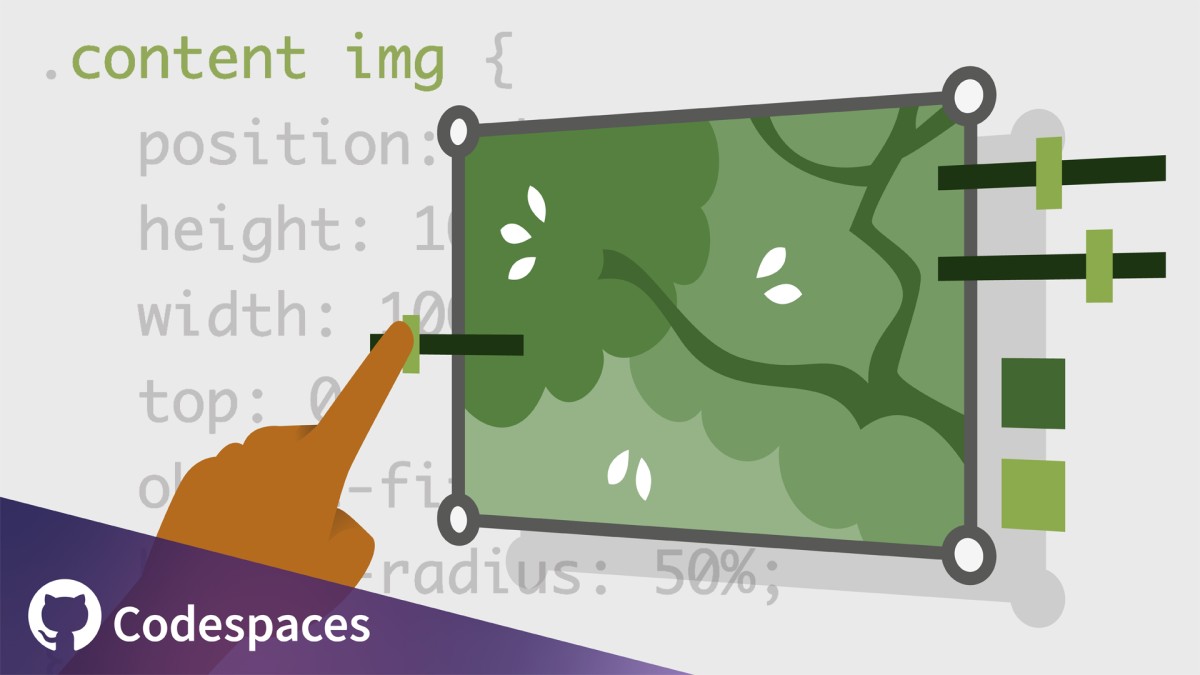
CSS ابزاری برای دستکاری تصویر است. این که آیا شما می خواهید جلوه های بصری متمایز ایجاد کنید یا به سادگی از پهنای باند موجود استفاده کنید ، گزینه های دستکاری تصاویر در CSS به شما امکان می دهد راه حل های گرافیکی قابل استفاده مجدد ایجاد کنید. در این دوره ، مربی Morten Rand-Hendriksen به شما نشان می دهد که چقدر می توانید تصاویر را در یک مرورگر با استفاده از CSS خالص ویرایش کنید. مورتن اهمیت نشانه گذاری مناسب تصویر HTML و نحوه محصول ، تناسب و قرار دادن یک تصویر را توضیح می دهد. وی در مورد نحوه استفاده از خاصیت Clip-Path برای ایجاد انواع اشکال بحث می کند. Morten نشان می دهد که چگونه می توانید از فیلترها برای ویرایش و اضافه کردن جلوه ها به تصویر خود استفاده کنید. وی با قدم زدن در چندین نمونه عملی از نحوه استفاده از آنچه آموخته اید ، و همچنین برخی از بهترین روشها و احتیاط ها نتیجه می گیرد.
این دوره با GitHub Codespaces ، یک محیط توسعه دهنده ابر فوری که تمام عملکردهای IDE مورد علاقه شما را بدون نیاز به تنظیمات محلی محلی ارائه می دهد ، یکپارچه شده است. با استفاده از CodeSpaces ، می توانید در هر زمان ، از هر دستگاهی تمرین کنید-همه در حالی که از ابزاری استفاده می کنید که احتمالاً در محل کار با آن روبرو خواهید شد. برای یادگیری نحوه شروع کار ، از فیلم "استفاده از Codepaces GitHub با این دوره" دیدن کنید.